What Is DNS? (And Why It Affects Every Website You Visit)
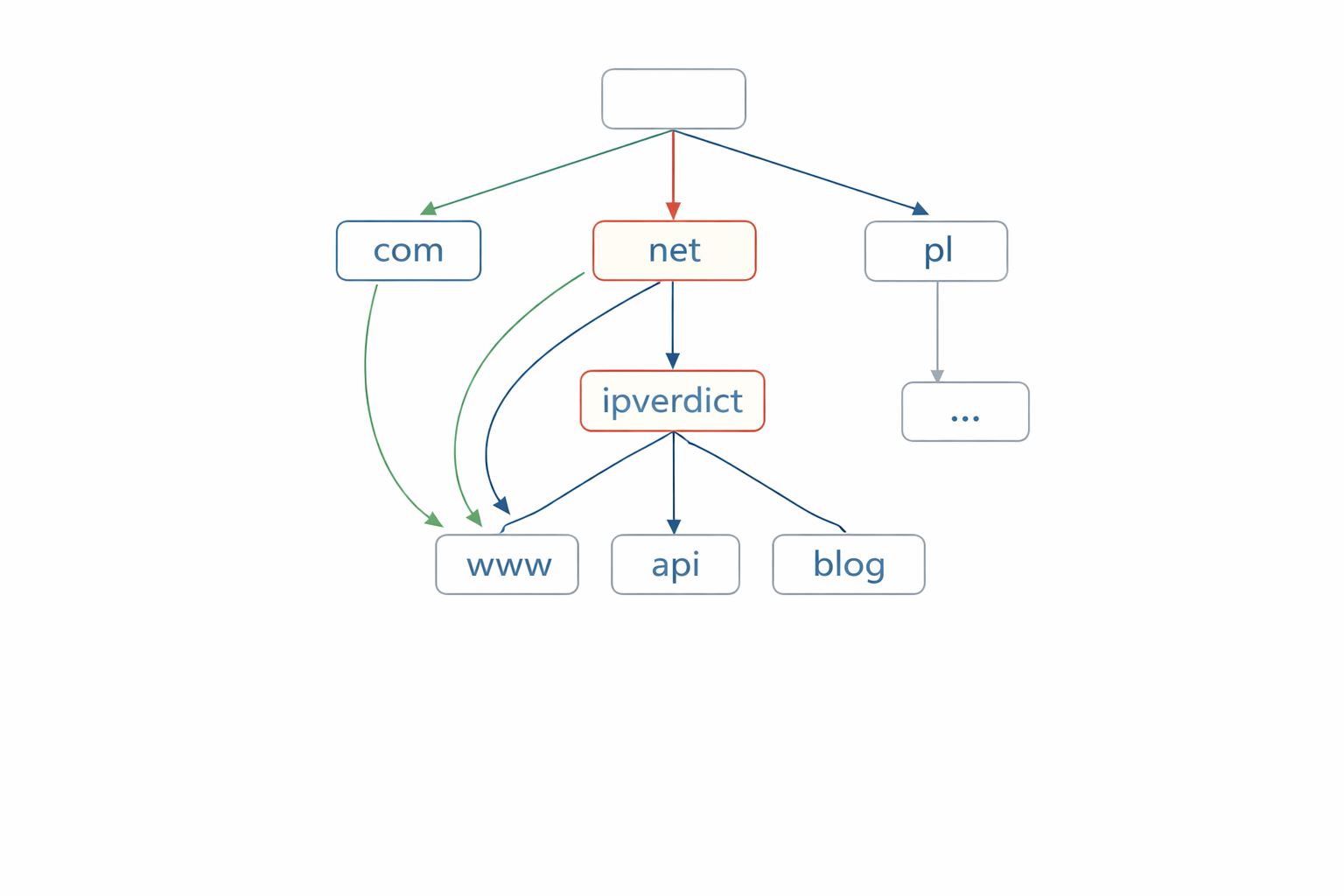
DNS is the “phonebook” of the internet: it maps names (example.com) to IP addresses.
Key Takeaways
- DNS problems can make websites fail even when your Wi‑Fi looks fine.
- DNS results are cached, so changes and fixes can take time to show up.
- You can often fix DNS issues by switching resolvers, flushing caches, or checking your network’s DNS settings.
DNS in One Minute: Names vs Numbers
Computers connect to other computers using IP addresses. Humans prefer names like ipverdict.net.
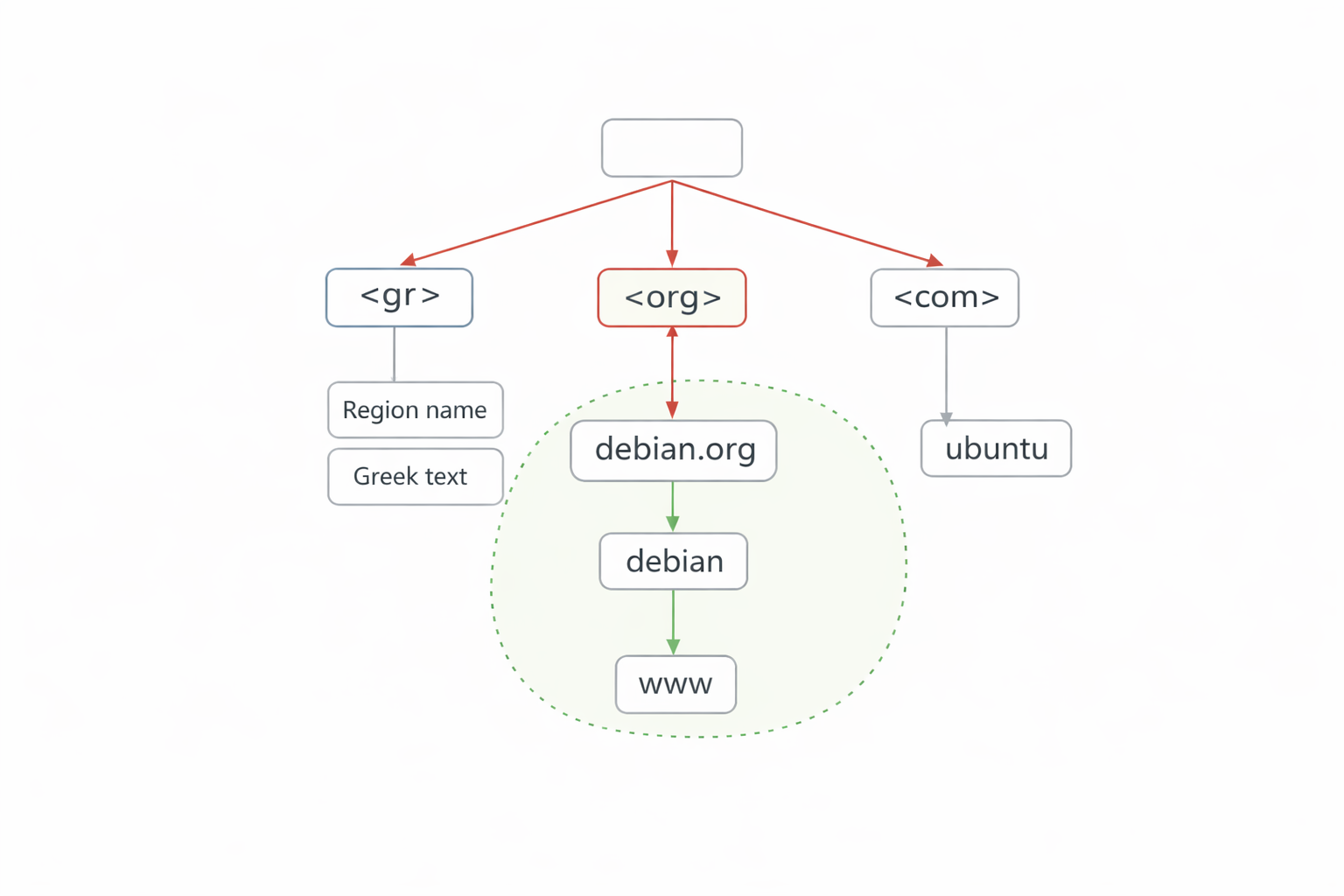
DNS (Domain Name System) bridges that gap by translating domain names into IP addresses behind the scenes.
When DNS works, you never notice it. When DNS fails, it can look like “the internet is down” even though your device is connected.
What Happens When You Type a URL
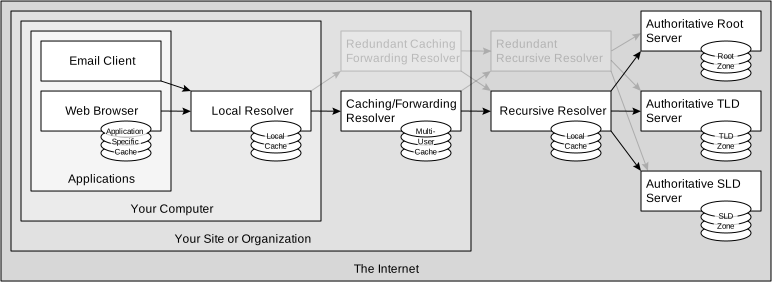
When you visit a website: 1. Your browser asks your operating system for the IP of the domain. 2. Your system asks a DNS resolver (often your ISP or a public resolver). 3. The resolver finds the answer (or retrieves it from cache). 4. Your device connects to the returned IP address.
If DNS returns the wrong IP—or no answer—you may see errors like: - “This site can’t be reached” - “Server IP address could not be found” - Endless loading, even though other sites work
Recursive Resolver vs Authoritative DNS
Two DNS roles matter most:
Recursive resolver (DNS resolver) - The service that answers your device’s DNS questions. - Examples: your ISP’s DNS, Google Public DNS, Cloudflare, Quad9.
Authoritative DNS - The “source of truth” for a domain’s DNS records. - Usually managed by the domain owner via a DNS host (Cloudflare, Route 53, etc.).
Your device typically talks to the resolver, and the resolver talks to the authoritative DNS when it doesn’t have the answer cached.
Common DNS Record Types (A, AAAA, CNAME, TXT)
You’ll see these record types often:
- A: domain → IPv4 address
- AAAA: domain → IPv6 address
- CNAME: domain → another domain (alias)
- TXT: text records (often email/security verification)
- MX: mail servers for a domain
A common real‑world setup:
- www.example.com is a CNAME pointing to example.com
- example.com has A/AAAA records pointing to the server or CDN
DNS Caching and Why Changes Take Time
DNS is cached in multiple places: - Your browser - Your operating system - Your router - Your ISP resolver - Public resolvers
This is why: - A DNS change might “work for you” but not for someone else yet - After you fix a DNS problem, you may still see old results temporarily
The cache duration is influenced by TTL (Time To Live), which is configured per DNS record.
Common DNS Problems (And What They Look Like)
1) NXDOMAIN The resolver says: “This domain doesn’t exist.” Common causes: - Typo in the domain - Domain expired - DNS records deleted
2) SERVFAIL The resolver failed to get a valid answer. Common causes: - Misconfigured authoritative DNS - DNSSEC issues - Temporary outage at the DNS host
3) Wrong IP (Stale or Incorrect Record) Your domain points to an old server/CDN. Common causes: - Cached records - Split DNS (different answers on different networks) - Mistyped A/AAAA values
Quick DNS Checks Users Can Try
If a website won’t load: - Try a different network (mobile hotspot vs Wi‑Fi) - Try a different DNS resolver (public DNS) - Restart router (clears some local DNS behavior) - Flush DNS cache on your device
If you’re a site owner:
- Confirm the A/AAAA/CNAME records match your hosting/CDN
- Verify you didn’t forget www vs root domain records
- Ensure DNS provider is reachable and authoritative servers are correct
Practical Implications in Real Systems
DNS is the step that turns a domain into an IP. Once you have an IP (for a server, CDN, or endpoint), IPVerdict can help you understand: - The network owner (ISP / organization) - The ASN behind that IP - Whether it appears to be hosting/CDN infrastructure
Common Misunderstandings
Q1: If DNS is broken, does that mean my internet is down? Not necessarily. Your connection can be fine while name resolution fails.
Q2: Should I always switch to a public DNS resolver? Public DNS can be faster or more reliable, but some ISPs provide local optimization. It’s a trade‑off.
Q3: Why does one device work but another doesn’t on the same Wi‑Fi? Different caches, different browsers, or different DNS settings per device.
Q4: Why do DNS changes take time? Because of caching and TTL values across the internet.
Q5: Can DNS reveal my location? DNS itself doesn’t “broadcast” your location, but DNS providers can log queries. Choose resolvers you trust.
Limitations
- DNS behavior depends on where you query from. Different resolvers can return different answers.
- Caching can make troubleshooting confusing—your “fix” might be correct but not visible yet.
- CDNs can return different IPs based on region (this is normal).
Disclaimer
The information in this guide is provided for educational and diagnostic use. Network behavior can vary by environment, configuration, and data sources, so results should be treated as informative signals rather than definitive proof.
Conclusion
Understanding these fundamentals helps you interpret network signals more confidently and troubleshoot issues with fewer false assumptions.